
Download TikTok Videos Without Watermark

Videos belong to the platform and creators. This application does not store any videos or images.

By using our service you accept Terms of Service and Privacy Policy.

Download TikTok videos without watermark for free

FetchTik is a free TikTok video downloader that allows you to download TikTok videos without watermark in MP4 format and HD, Full HD, or 4K quality. You don't need to install any application on your mobile or computer; you only need a TikTok video link, and we will do the rest. Using FetchTik, you can save videos to your device with just a single click.

Video Sharing

Video Sharing

Generated by Gemini

Understanding the World of Video Sharing Platforms

Video sharing platforms have revolutionized how we consume and create digital content, offering vast libraries of videos covering virtually every topic imaginable. Whether you're looking for entertainment, educational content, tutorials, or news, these platforms provide a dynamic space for creators and viewers to connect globally.

YouTube: The Dominant Player

YouTube stands as the undisputed giant in the video sharing space, boasting billions of users and an astronomical amount of content uploaded daily.

TikTok: Short-Form Video's Rise

TikTok has emerged as a major player, particularly known for its focus on short-form, often viral, video content.

Instagram Reels & Facebook Videos

Meta's platforms have also entered the video sharing arena with Instagram Reels and Facebook Videos.

How to download TikTok videos without watermark?

FetchTik has made it easy for you. Just follow the steps below.

Step 1: Copy Link

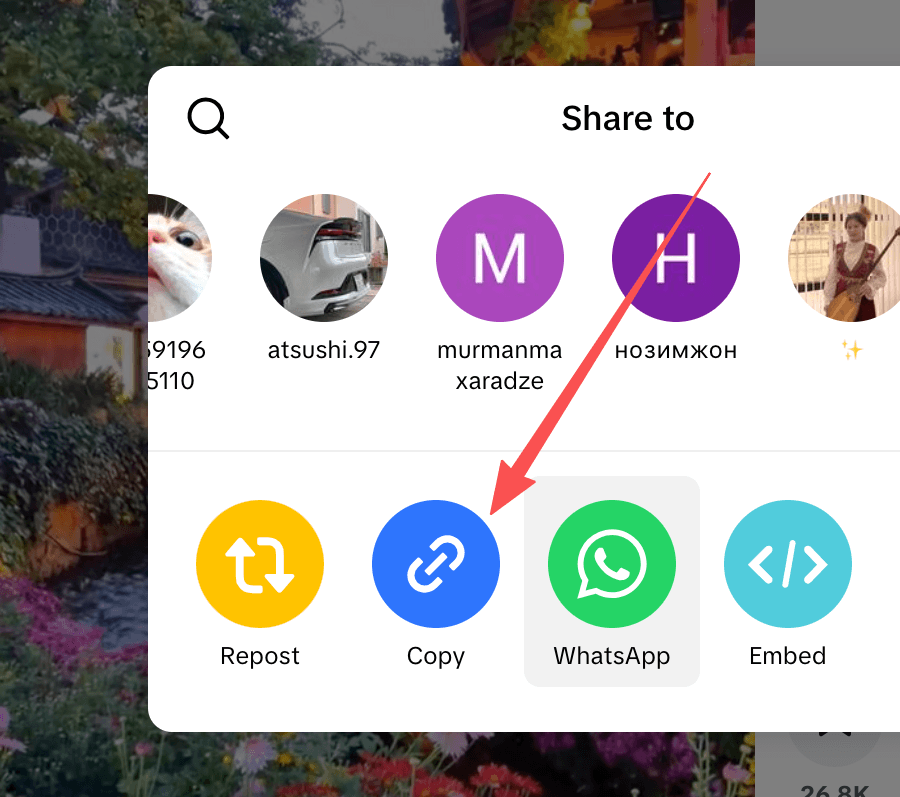
On the TikTok application, open your desired video, tap the Share button at the bottom right, and then tap the Copy Link option.
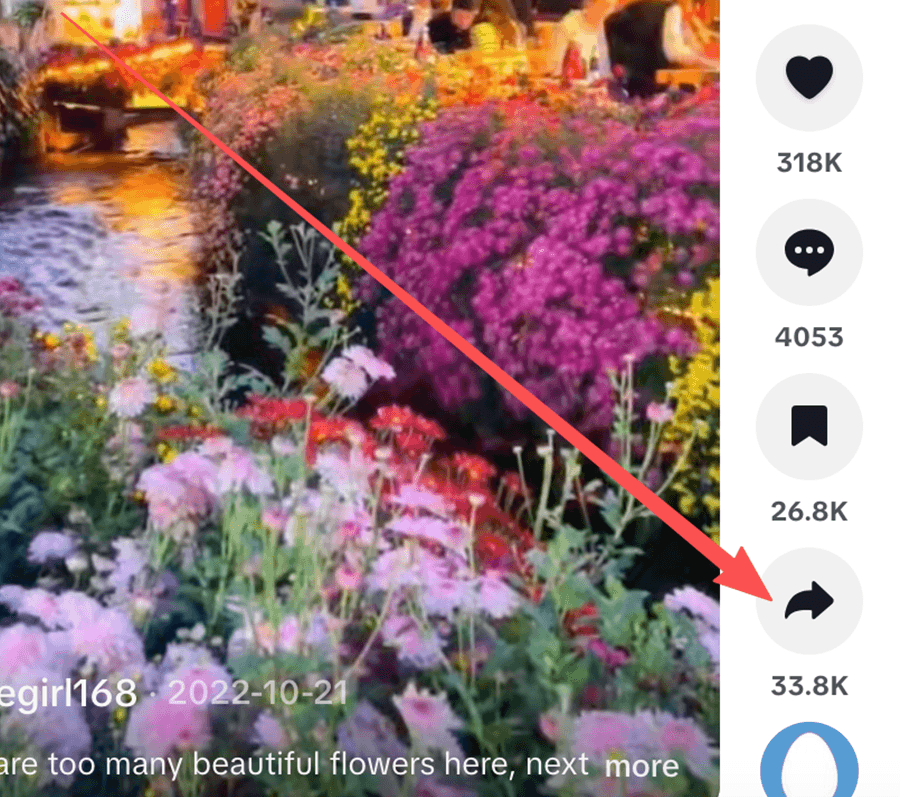
Tap Share Button
Tap Share Button
Tap Copy link
Tap Copy link

Step 2: Paste & Parse

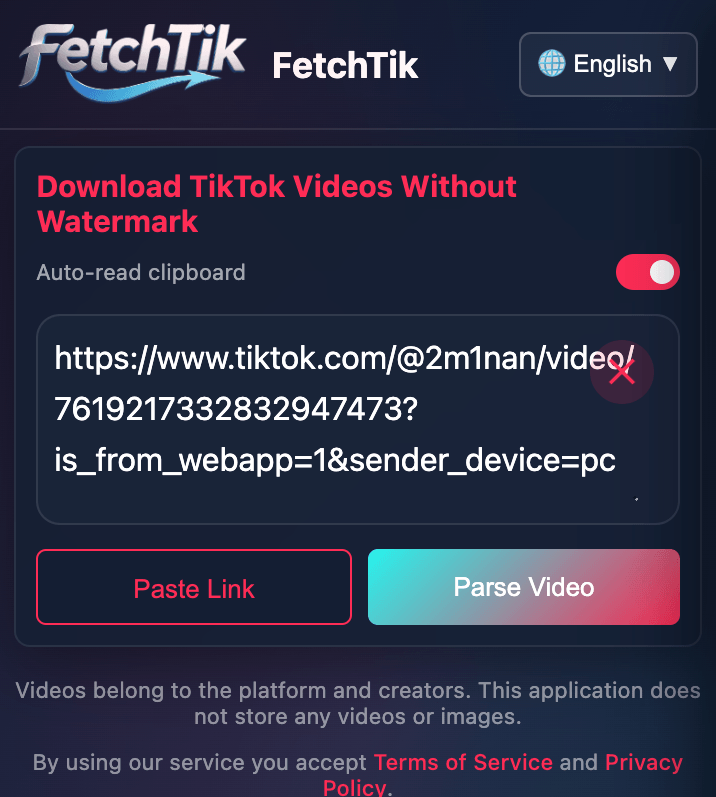
Return to the FetchTik website, paste the copied URL into the input field, and then tap the Parse Video button.
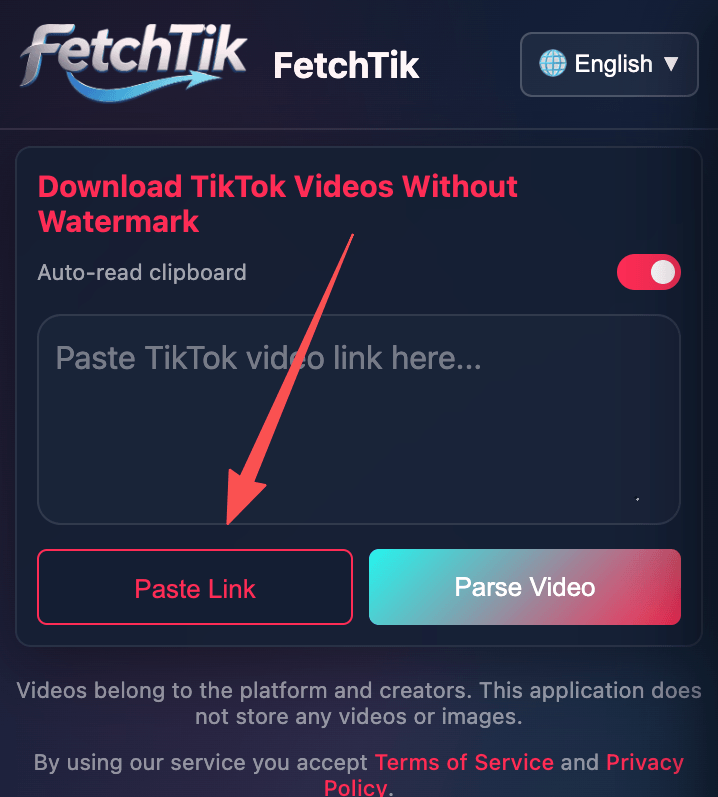
Tap Paste Link
Tap Paste Link
Tap Parse Video
Tap Parse Video

Step 3: Download

Wait while FetchTik processes the video. Choose the desired quality and download the video.
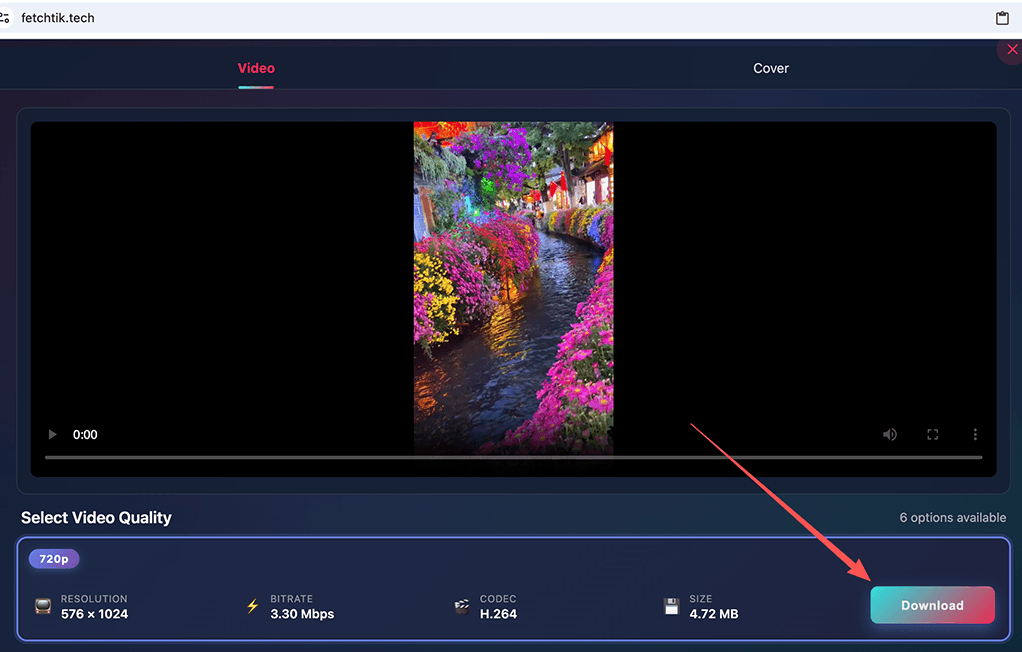
Tap Download Video
Tap Download Video

FetchTik key features:

Due to the outstanding features and high-performance services, FetchTik has become one of the most popular tools for downloading from TikTok. The following are the main strengths of FetchTik:

Clean downloads

Compared to TikTok's in-app download feature, which leaves a watermark over downloaded videos, FetchTik offers a perfect opportunity to save videos without watermarks and in a clean format.

🎁

Free and unlimited

FetchTik offers its services completely free of charge. To support our expenses and keep our service up, we just put a few ads on the site. Besides, FetchTik has no limits on the quantity of downloads.

💻

Compatible with variety of devices

FetchTik's other advantage is cross-device compatibility. FetchTik is a web-based tool that runs in a web browser and does not need to be installed.

Easy to use

FetchTik is a simple tool that requires no special skills to use. Just paste the video link, click the download button, and you are done!

Download in MP4, MP3 & Cover

FetchTik lets you save TikTok videos in MP4 format, extract audio as MP3 files, or download the video cover image. All formats are widely supported and perfect for different use cases - watch videos offline, enjoy your favorite TikTok sounds, or save thumbnail images.

🔒

Safe to use

FetchTik doesn't need any information from your TikTok account, so the security of your account is not something that you need to be concerned about.

Discover more

HD video download
Computers & Electronics
TV & Video

Frequently Asked Questions

?How to download a FetchTik video on android or iphone?+
1. Open your desired video on the TikTok application, Tap on the Share button at the bottom right, and then tap on the Copy Link option. 2. Return to FetchTik website and paste the copied URL into the address field on the top of this page, and then click on the Download button. 3. Wait while FetchTik processes the video. Choose the desired quality and download the video.
?Where are TikTok videos saved after download?+
TikTok videos are saved in the browser's default downloads folder. In the browser settings, you can see or change the default path of downloaded files.
?How to download TikTok videos on my PC?+
1. Open your web browser, navigate to TikTok's official website, and go to the desired video. 2. Copy the video page URL from your web browser address bar. 3. Paste the copied link into the address field at the top of this page, then click on the Download button.
?Is using FetchTik free?+
Yes, of course, FetchTik is completely free to use.
?Does the FetchTik keep a copy of downloaded videos?+
FetchTik does not store the videos downloaded by users; The TikTok servers host videos. Also, FetchTik does not store or track users download history in any way, which makes FetchTik completely anonymous.
?How can I get the TikTok video link?+
1. Open the TikTok application. 2. Go to the desired video on TikTok. 3. Tap the Share button, and tap on the Copy Link option in the opened box. 4. The video link has been saved to your clipboard. 5. Next, open your web browser and navigate to the website FetchTik.Tech, paste the copied link into the address field.
?Do I need to install applications or extensions?+
No, you will not need to install any application or extension. We keep things easy for our users. Copy the video link from TikTok and leave the rest to us!
?Is there a limit to downloading TikTok videos at FetchTik?+
No, there is no limit to the number of video downloads. At FetchTik, You can download as many videos as you like without any download limit.
?Does FetchTik support downloading multiple videos from a page/user/hashtag?+
No, we don't support this feature yet.
?Can I edit videos with FetchTik?+
No, FetchTik is only a TikTok video downloader and does not support video editing. Download the video using FetchTik and then edit it with video editor apps.
?Can I download TikTok videos as MP3 audio files?+
Yes! FetchTik now supports downloading TikTok videos as high-quality MP3 audio files. Simply paste the TikTok video link, and you'll have the option to download either the video (MP4) or extract just the audio (MP3). This feature is perfect for saving your favorite TikTok sounds and music.