下载无水印 TikTok 视频

视频归平台和创作者所有。本应用程序不存储任何视频或图片。

使用我们的服务即表示您接受 服务条款隐私政策.

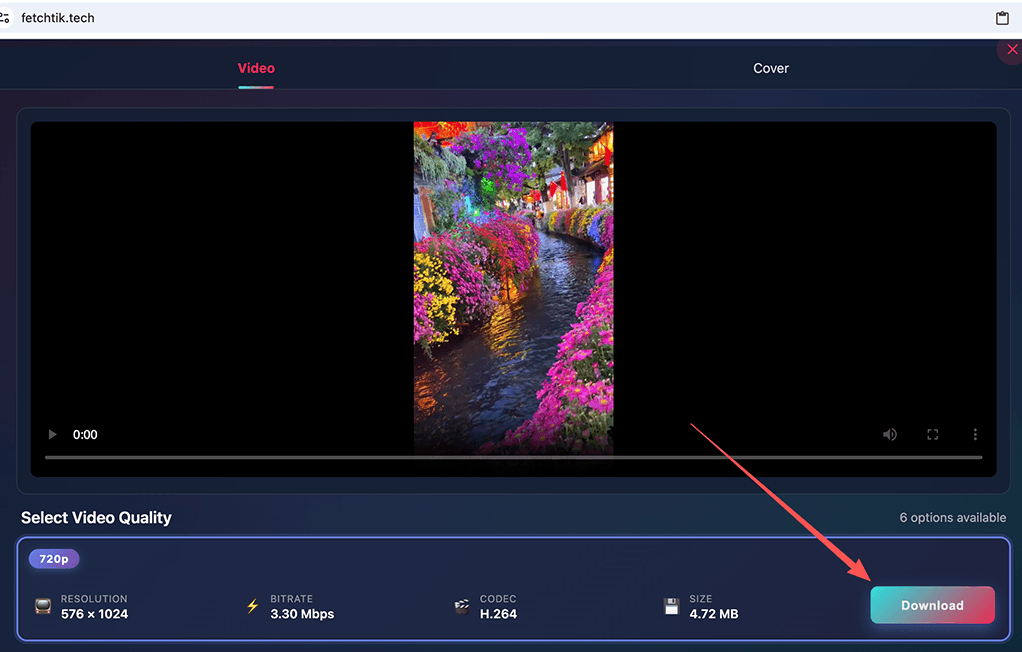
免费下载无水印 TikTok 视频

FetchTik 是一款免费的 TikTok 视频下载器,允许您以 MP4 格式和高清、全高清或 4K 质量下载无水印的 TikTok 视频。您无需在手机或电脑上安装任何应用程序;您只需要一个 TikTok 视频链接,剩下的交给我们。使用 FetchTik,您只需单击一下即可将视频保存到您的设备。

视频分享

视频分享

由 Gemini 生成

了解视频分享平台的世界

视频分享平台彻底改变了我们消费和创建数字内容的方式,提供了几乎涵盖每个可想象主题的海量视频库。无论您是在寻找娱乐、教育内容、教程还是新闻,这些平台都为创作者和观众提供了一个充满活力的全球连接空间。

YouTube:主导者

YouTube 是视频分享领域无可争议的巨头,拥有数十亿用户和每天上传的海量内容。

TikTok:短视频的崛起

TikTok 已成为主要参与者,尤其以其专注于短视频(通常是病毒式传播)内容而闻名。

Instagram Reels 和 Facebook 视频

Meta 的平台也通过 Instagram Reels 和 Facebook 视频进入了视频分享领域。

FetchTik 的主要功能:

由于出色的功能和高性能的服务,FetchTik 已成为最受欢迎的 TikTok 下载工具之一。以下是 FetchTik 的主要优势:

干净下载

与 TikTok 应用内下载功能会在下载的视频上留下水印不同,FetchTik 提供了完美的机会,可以保存无水印的干净格式视频。

🎁

免费且无限制

FetchTik 完全免费提供服务。为了支持我们的开支并保持服务运行,我们只在网站上投放了一些广告。此外,FetchTik 对下载数量没有限制。

💻

兼容各种设备

FetchTik 的另一个优势是跨设备兼容性。FetchTik 是一个基于 Web 的工具,在 Web 浏览器中运行,无需安装。

易于使用

FetchTik 是一个简单的工具,无需特殊技能即可使用。只需粘贴视频链接,点击下载按钮,即可完成!

以 MP4 格式下载

FetchTik 允许您以 MP4 格式保存 TikTok 视频。MP4 是一种流行的视频格式,受大多数操作系统和视频播放器支持。

🔒

安全使用

FetchTik 不需要您 TikTok 账户的任何信息,因此您无需担心账户安全。

发现更多

高清视频下载
计算机与电子产品
电视与视频

Frequently Asked Questions

?How to download a FetchTik video on android or iphone?+
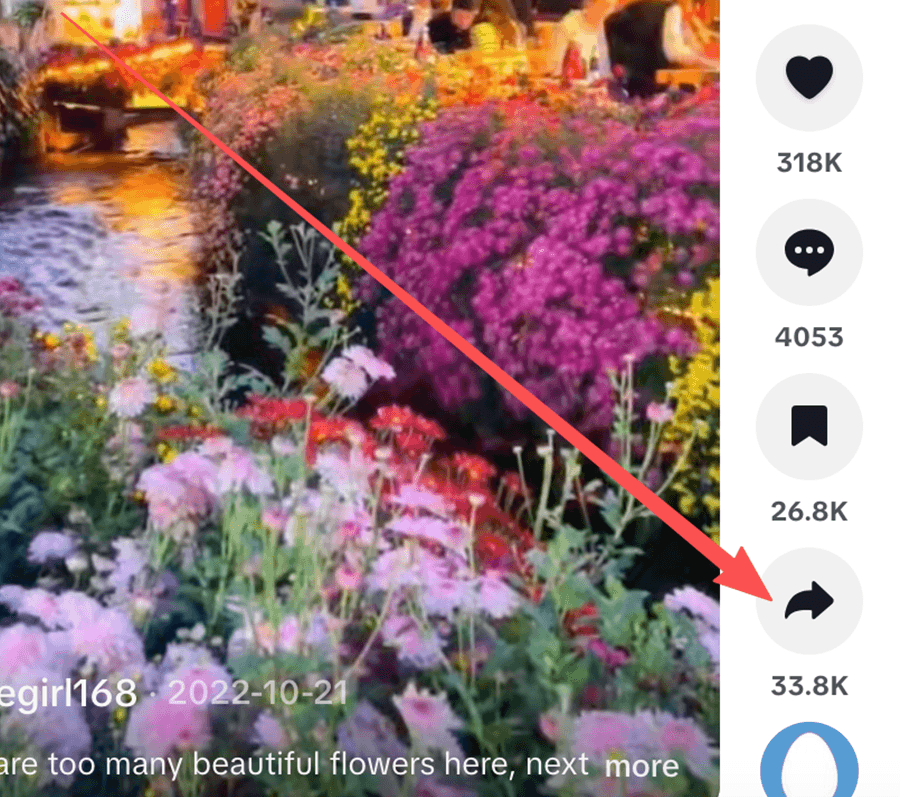
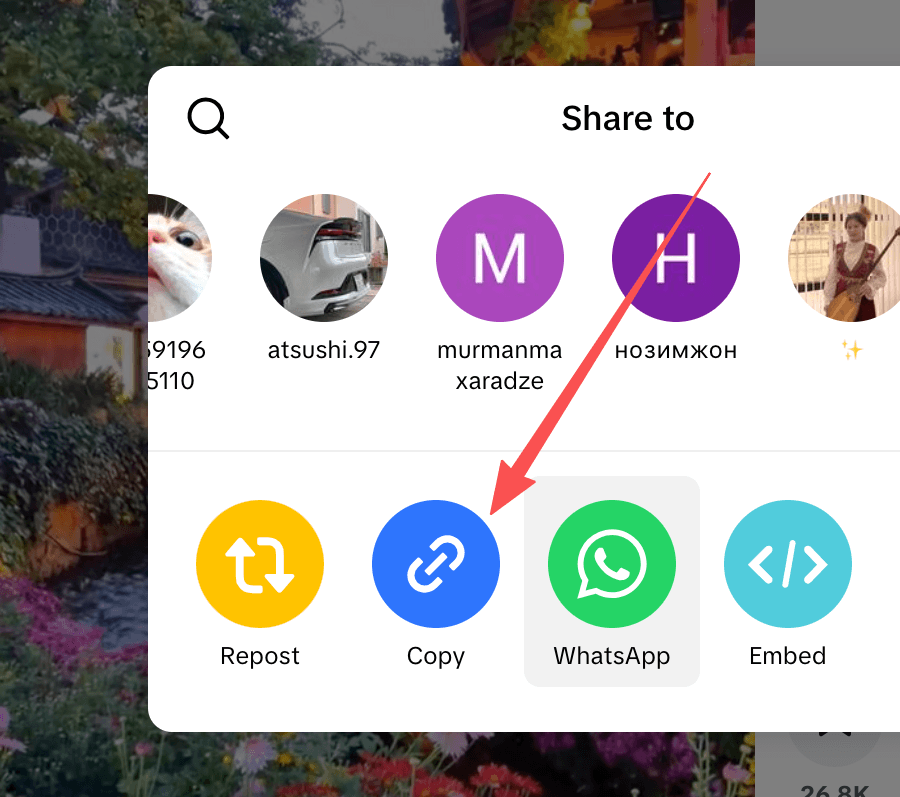
1. Open your desired video on the TikTok application, Tap on the Share button at the bottom right, and then tap on the Copy Link option.
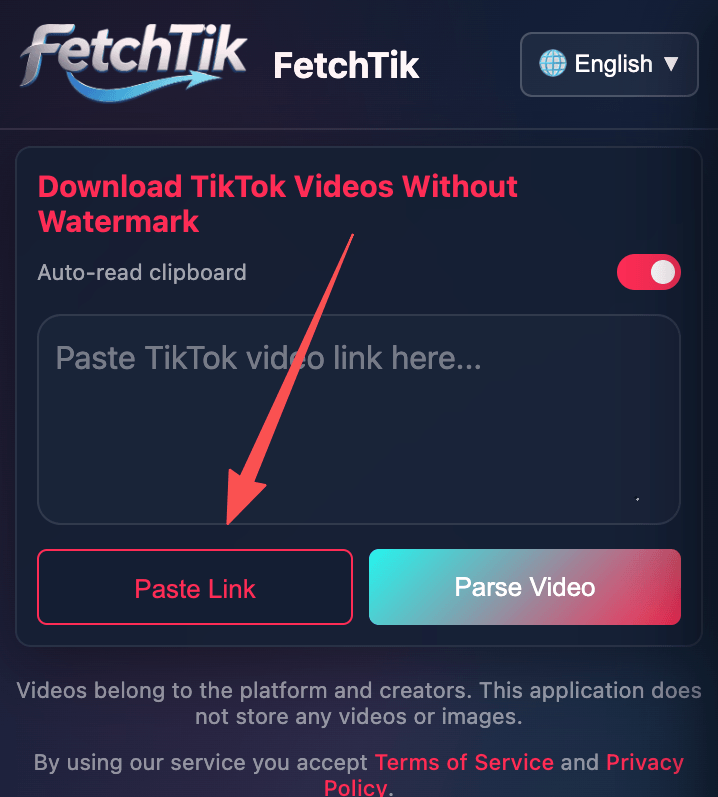
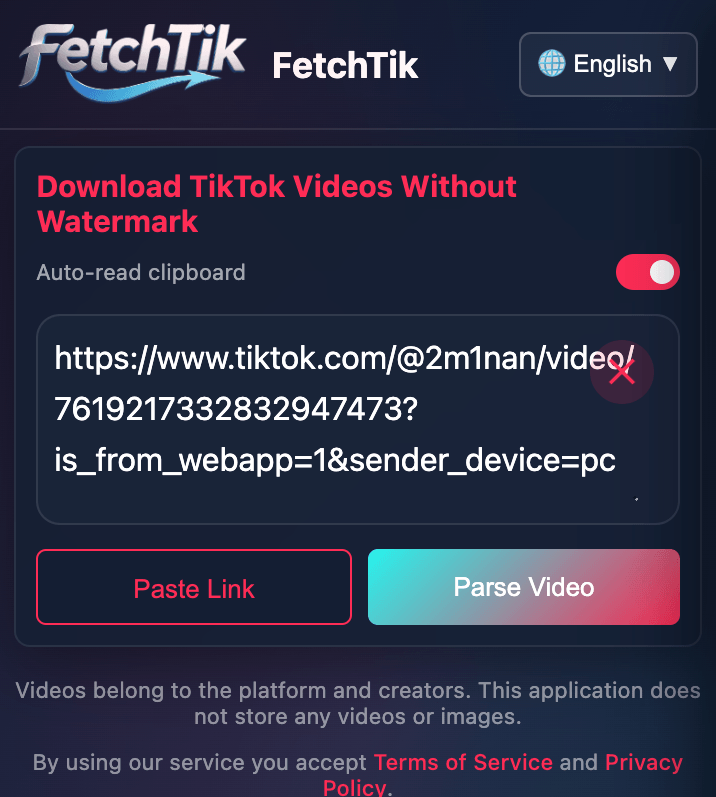
2. Return to FetchTik website and paste the copied URL into the address field on the top of this page, and then click on the Download button.
3. Wait while FetchTik processes the video. Choose the desired quality and download the video.
?Where are TikTok videos saved after download?+
TikTok videos are saved in the browser's default downloads folder. In the browser settings, you can see or change the default path of downloaded files.
?How to download TikTok videos on my PC?+
1. Open your web browser, navigate to TikTok's official website, and go to the desired video.
2. Copy the video page URL from your web browser address bar.
3. Paste the copied link into the address field at the top of this page, then click on the Download button.
?Is using FetchTik free?+
Yes, of course, FetchTik is completely free to use.
?Does the FetchTik keep a copy of downloaded videos?+
FetchTik does not store the videos downloaded by users; The TikTok servers host videos. Also, FetchTik does not store or track users download history in any way, which makes FetchTik completely anonymous.
?How can I get the TikTok video link?+
1. Open the TikTok application.
2. Go to the desired video on TikTok.
3. Tap the Share button, and tap on the Copy Link option in the opened box.
4. The video link has been saved to your clipboard.
5. Next, open your web browser and navigate to the website FetchTik.Kim, paste the copied link into the address field.
?Do I need to install applications or extensions?+
No, you will not need to install any application or extension. We keep things easy for our users. Copy the video link from TikTok and leave the rest to us!
?Is there a limit to downloading TikTok videos at FetchTik?+
No, there is no limit to the number of video downloads. At FetchTik, You can download as many videos as you like without any download limit.
?Does FetchTik support downloading multiple videos from a page/user/hashtag?+
No, we don't support this feature yet.
?Can I edit videos with FetchTik?+
No, FetchTik is only a TikTok video downloader and does not support video editing. Download the video using FetchTik and then edit it with video editor apps.
?Does FetchTik provide TikTok MP3 download solution?+
No, we respects the intellectual property rights of tracks and that is why we do not offer this service. However, you may use third-party tools or convert videos into MP3 through a converter software, yet you may not use them for monetization and commercial purposes.